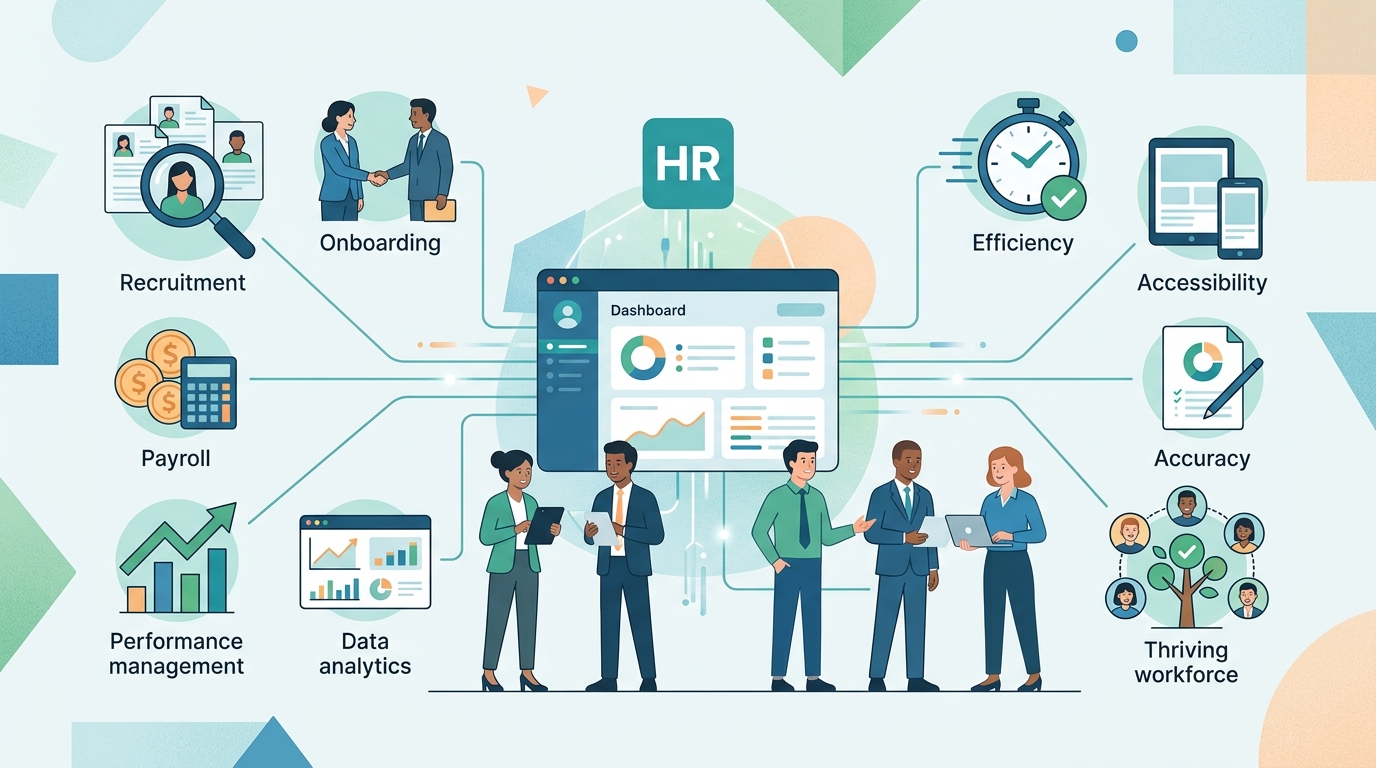
Een HR-systeem is software waarmee je alle HR-processen op één plek structureert en automatiseert — van personeelsdossiers en verlof tot salarisadministratie en werving. Het bespaart tijd, vermindert fouten en geeft je centraal inzicht in je personeelsdata. In deze gids leggen we neutraal uit wat een HR-systeem precies is, welke functies en types er bestaan, wat afkortingen als HRIS, HCM en HRM betekenen, en hoe je de juiste oplossing kiest.
Wat is een HR-systeem?
Een HR-systeem is software waarmee je alle HR-processen op één plek structureert en automatiseert — van personeelsdossiers, verlof en verzuim tot salarisadministratie, werving en performancemanagement. In plaats van losse Excel-bestanden, mailboxen en mappen werk je met één betrouwbare bron van waarheid, waar HR, leidinggevenden en medewerkers dezelfde actuele gegevens gebruiken.
De begrippen HR-systeem, HRM-systeem en personeelssysteem verwijzen in de praktijk naar hetzelfde: het softwareplatform dat je personeelsbeleid ondersteunt. Mensen gebruiken ook "HR-software" door elkaar met "HR-systeem". Een nuttig onderscheid: een HR-systeem is het overkoepelende platform, terwijl HR-software vaak een specifieke applicatie of module daarbinnen aanduidt — bijvoorbeeld verzuimsoftware of een wervingstool.
Let ook op het verschil tussen het systeem en het proces. HRM (Human Resource Management) is de discipline: het geheel van beleid, processen en mensen rond personeel. Het HR-systeem is de software die die discipline ondersteunt en versnelt. Het systeem vervangt het proces niet, maar maakt het sneller, consistenter en beter meetbaar.
Inzicht
Zie een HR-systeem als de centrale administratie van je personeelsbeleid: één plek waar contractgegevens, verlofsaldi, verzuim en ontwikkeling samenkomen — zodat iedereen met dezelfde, actuele informatie werkt.
Wie zich eerst breed wil oriënteren, kan alle HR-software-categorieën vergelijken voordat de keuze op een specifieke categorie valt.
Wat doet een HR-systeem? De kernfuncties
Een HR-systeem ondersteunt de volledige levenscyclus van een medewerker, van sollicitatie tot uitdiensttreding. De meeste platforms zijn modulair opgebouwd: je activeert de onderdelen die je nodig hebt en breidt later uit. Hieronder de kernfuncties.
Personeelsdossiers en self-service
De basis van elk HR-systeem is het digitale personeelsdossier. Hierin staan persoonsgegevens, contracten, functiegegevens, salarisschalen en documenten gebundeld per medewerker, met rechten die bepalen wie wat mag zien. Employee self-service geeft medewerkers toegang tot hun eigen gegevens, loonstroken en aanvragen — wat de HR-afdeling fors ontlast.
Verlof- en verzuimregistratie
Medewerkers vragen verlof aan, leidinggevenden keuren goed en het systeem houdt saldi automatisch bij. Voor verzuim registreer je ziek- en herstelmeldingen en de stappen rond de Wet verbetering poortwachter. Dat verlaagt de administratieve last en maakt verzuimtrends zichtbaar.
Salarisadministratie en payroll
Veel HR-systemen koppelen aan of bevatten salarisadministratie. Mutaties uit het personeelsdossier — een nieuw contract, een loonsverhoging, een verzuimperiode — stromen automatisch door naar de payroll, wat dubbel invoeren voorkomt. De schaal hiervan is in Nederland groot: zo krijgen 3,8 miljoen werkenden hun loonstrook via één aanbieder [5].
Cijfer
Een typische salarisverwerking die handmatig 8 uur per maand kost, daalt met automatisering naar 2-3 uur per maand [4].
Werving & selectie (ATS) en onboarding
Een ATS (Applicant Tracking System) beheert vacatures, sollicitaties en de wervingspijplijn op één plek. Na de aanname zorgt de onboardingmodule voor een gestructureerde eerste werkdag en -week. Wie vooral het wervingsproces wil verbeteren, kan gericht ATS-software voor werving bekijken.
Performancemanagement en ontwikkeling
De performancemodule ondersteunt functioneringsgesprekken, doelen, feedback en ontwikkeling. Omdat alle data centraal staat, kun je groei, betrokkenheid en verloop volgen en daarop sturen — bijvoorbeeld met opleidingstrajecten of een ontwikkelplan per medewerker.
HRIS, HCM, HRM, ATS en LMS: wat betekenen al die afkortingen?
De HR-techwereld zit vol afkortingen, en juist die afkortingenjungle maakt oriënteren lastig. Hieronder ontwarren we de vijf termen die je het vaakst tegenkomt — neutraal en zonder vendor-bril.
HRIS — de administratieve basis
HRIS (Human Resource Information System) is de meest basale, administratieve vorm van een HR-systeem. Het legt alle HR-informatie vast en automatiseert kernprocessen zoals personeelsdossiers, verlof, verzuim en payroll [1][2]. Voor veel organisaties is een HRIS het natuurlijke startpunt. Wil je dieper in deze categorie duiken, lees dan verder over HRIS-software.
HCM — een stap verder (talent, planning, strategie)
HCM (Human Capital Management) gaat een stap verder dan HRIS. Naast de administratieve basis voegt het talentmanagement, opleidingen en strategische personeelsplanning toe [1]. Waar HRIS vooral "bijhouden en automatiseren" is, draait HCM om "ontwikkelen en vooruitkijken" — geschikt voor organisaties die personeel als strategische factor benaderen.
HRM versus HR-systeem versus HR-software
HRM (Human Resource Management) is geen software maar de overkoepelende discipline: het managen van mensen in een organisatie. Een HR-systeem is de software die die discipline ondersteunt, en HR-software verwijst meestal naar een specifieke module daarbinnen. In het dagelijks taalgebruik lopen deze termen door elkaar; belangrijker dan het etiket is welke functies je daadwerkelijk nodig hebt.
ATS en LMS als losse of geïntegreerde modules
Een ATS (Applicant Tracking System) beheert werving en selectie, een LMS (Learning Management System) beheert opleidingen en e-learning [1]. Beide bestaan als losse, gespecialiseerde tools óf als geïntegreerde module binnen een breder HRIS of HCM. De keuze tussen "best of breed" (losse, sterke tools) en "all-in-one" (alles in één platform) is een van de belangrijkste afwegingen bij je selectie.
| Afkorting | Voluit | Focus | Typische gebruiker |
|---|---|---|---|
| HRIS | Human Resource Information System | Administratie: dossiers, verlof, verzuim, payroll | Basisbehoefte, MKB en groter |
| HCM | Human Capital Management | Talent, opleiding, strategische planning | Organisaties met talentfocus |
| HRM | Human Resource Management | De discipline (geen software) | Beleid en HR-functie als geheel |
| ATS | Applicant Tracking System | Werving & selectie | Teams die veel werven |
| LMS | Learning Management System | Leren & ontwikkelen | Opleiding en e-learning |
Tip
Verdwaal niet in de afkortingen. Begin bij je behoefte: wil je vooral administratie op orde (HRIS), talent ontwikkelen (HCM) of efficiënter werven (ATS)? De afkorting volgt uit het probleem dat je oplost, niet andersom.
Soorten HR-systemen: cloud, on-premise en hybride
Naast de functionele indeling verschillen HR-systemen in hoe en waar ze draaien. Er zijn drie hoofdvormen:
- Cloud-based (SaaS) — De leverancier host het systeem; jij gebruikt het via internet tegen een abonnement. Updates, beveiliging en onderhoud lopen via de aanbieder. Dit is veruit de meest gekozen vorm, vooral in het MKB, vanwege de lage instapdrempel en snelle implementatie.
- On-premise — Het systeem draait op je eigen servers en infrastructuur. Je hebt maximale controle en datasoevereiniteit, maar draagt ook zelf de last van onderhoud, updates en beveiliging. Vooral grotere organisaties met specifieke compliance- of integratie-eisen kiezen hier soms voor.
- Hybride — Een combinatie: bepaalde onderdelen of data blijven on-premise, terwijl andere modules in de cloud draaien. Geschikt voor organisaties die geleidelijk migreren of gevoelige data bewust lokaal willen houden.
Een belangrijk aandachtspunt bij elk type zijn integraties. Een HR-systeem staat zelden alleen: het koppelt idealiter aan je boekhouding, payroll-pakket, ATS en eventueel een LMS. Goede koppelingen voorkomen dubbel invoeren en houden je data consistent over systemen heen.
De voordelen van een HR-systeem (met cijfers)
Het grootste voordeel van een HR-systeem is tijdsbesparing door automatisering. Routinetaken zoals verlofgoedkeuring, salarisverwerking en dossierbeheer gaan sneller en met minder fouten, waardoor HR tijd overhoudt voor strategisch werk. De cijfers onderbouwen dat:
- Tot 70% tijdsbesparing op administratieve HR-taken dankzij automatisering [4].
- Gemiddeld 15-25 uur per maand die organisaties besparen met HR-automatisering [4].
- Tot 90% minder menselijke fouten door geautomatiseerde HR-systemen [4].
- Salarisverwerking die van 8 uur naar 2-3 uur per maand zakt [4].
Cijfer
Geautomatiseerde HR-systemen reduceren menselijke fouten met wel 90% en besparen organisaties gemiddeld 15-25 uur per maand [4].
Naast tijd en kwaliteit levert een HR-systeem centraal data-inzicht op. Omdat alle gegevens op één plek staan, kun je rapporteren over verloop, verzuim en bezetting en daar tijdig op sturen. Dat inzicht raakt ook je bedrijfsresultaat: bij retailer Clarks bleek dat wanneer de medewerkersbetrokkenheid met 0,1% steeg, de prestatie van de winkel met 0,4% toenam [6]. Betrokken medewerkers en goede HR-data zijn dus geen zachte bijzaak, maar een meetbare prestatiefactor.
Voor welke organisaties is een HR-systeem geschikt? (MKB tot enterprise)
Een HR-systeem is niet voorbehouden aan grote bedrijven — de behoefte schaalt mee met je organisatie:
- Klein MKB (tot ~50 medewerkers): Een lichte HRIS of all-in-one cloudoplossing volstaat meestal. Focus op dossiers, verlof, verzuim en eenvoudige self-service. De winst zit vooral in het loslaten van Excel.
- Middelgroot MKB (~50-250 medewerkers): Hier wordt structuur cruciaal. Een volwaardige HRIS met payroll-koppeling, ATS en rapportage betaalt zich snel terug, omdat handmatige processen anders vastlopen.
- Grootbedrijf en enterprise (250+ medewerkers): De behoefte verschuift richting HCM met talentmanagement, strategische personeelsplanning en uitgebreide integraties. Compliance, autorisaties en analytics wegen zwaarder.
Let op
Kies geen systeem dat veel groter is dan je organisatie. Een zwaar enterprise-HCM in een klein MKB leidt tot onnodige complexiteit, hoge kosten en een lage adoptie. Match de oplossing op je huidige grootte plus reële groei — niet op een wensdroom.
Wat kost een HR-systeem? (indicatie en terugverdientijd)
Prijzen lopen sterk uiteen en hangen af van het aantal medewerkers, de gekozen modules en het type (cloud of on-premise). Een eerlijke, indicatieve richtlijn:
- Licentiekosten: doorgaans €50-200 per medewerker per jaar [4]. Meer modules en meer maatwerk drijven de prijs op.
- Eenmalige implementatiekosten: voor inrichting, datamigratie en training, bovenop de licentie.
- Terugverdientijd: de investering wordt doorgaans binnen 6 tot 18 maanden terugverdiend door tijdsbesparing en minder fouten [4].
Tip
Wil je de business case concreet maken voor je eigen organisatie? Bereken de ROI van een HR-systeem en zie wat automatisering jou aan uren en kosten oplevert.
De terugverdientijd is geen toeval: als je tot 70% van de administratieve tijd bespaart en fouten met tot 90% terugdringt [4], lopen de uren en herstelkosten die je voorkomt snel op tot meer dan de licentieprijs.
Hoe kies je het juiste HR-systeem? (5 stappen)
Een goede keuze begint niet bij de leverancier, maar bij je eigen behoefte. Volg deze vijf stappen:
- Breng je processen en pijnpunten in kaart. Welke taken kosten nu de meeste tijd of leveren de meeste fouten op? Daar zit je grootste winst.
- Bepaal het type dat past. Heb je vooral administratie op orde te brengen (HRIS), talent te ontwikkelen (HCM) of werving te versnellen (ATS)? Koppel je grootte aan het type.
- Stel je eisen en integraties vast. Welke koppelingen met boekhouding, payroll of bestaande tools zijn een must? Maak onderscheid tussen must-haves en nice-to-haves.
- Vergelijk leveranciers neutraal. Kijk verder dan de mooiste demo: beoordeel functionaliteit, support, prijs en implementatie. Bekijk bijvoorbeeld de beste HRIS van Nederland als startpunt.
- Plan de implementatie. Reken op datamigratie, inrichting, training en een gefaseerde uitrol. Begin met de modules die de meeste tijd besparen en breid pas uit als het draait.
Inzicht
De meeste vendorpagina's verkopen hun eigen product. Een gestructureerd, neutraal selectieproces — eerst behoefte, dan type, dan leverancier — voorkomt dat je kiest op marketing in plaats van op fit.
Conclusie: van begrip naar de juiste keuze
Een HR-systeem brengt al je personeelsprocessen samen op één plek en automatiseert het routinewerk, waardoor je tijd bespaart, fouten terugdringt en grip krijgt op je personeelsdata. Of je nu een lichte HRIS zoekt of een volwaardig HCM met talentmanagement: de juiste keuze hangt af van je grootte, je processen en je doelen. Het belangrijkste is dat je kiest op basis van werkelijke behoefte, niet op basis van de luidste vendor.
Tip
Weet je nog niet welke categorie of leverancier bij jouw situatie past? Start een gratis intake en laat je neutraal matchen met leveranciers die aansluiten bij jouw organisatiegrootte, sector en doelen.
Veelgestelde vragen over HR-systemen
Wat is een HR-systeem in het kort?
Een HR-systeem (ook wel HRM-systeem of personeelssysteem) is software waarmee je alle HR-processen op een plek structureert en automatiseert — van personeelsdossiers, verlof en verzuim tot salarisadministratie, werving en performancemanagement. Het bespaart tijd, vermindert fouten en geeft HR data-inzicht.
Wat is het verschil tussen HRIS, HCM en HRM?
HRIS is de meest basale, administratieve vorm: het legt alle HR-informatie vast en automatiseert kernprocessen zoals dossiers, verlof en payroll. HCM gaat een stap verder met talentmanagement, opleidingen en strategische personeelsplanning. HRM is de overkoepelende discipline (Human Resource Management) — een "HR-systeem" is de software die die discipline ondersteunt.
Welke functies heeft een HR-systeem?
De meeste HR-systemen bevatten modules voor personeelsdossiers en self-service, verlof- en verzuimregistratie, salarisadministratie, werving & selectie (ATS), onboarding en performancemanagement. Welke modules je nodig hebt, hangt af van je organisatiegrootte en doelen.
Wat zijn de voordelen van een HR-systeem?
Het grootste voordeel is tijdsbesparing door automatisering: routinetaken zoals verlofgoedkeuring en salarisverwerking gaan sneller en met minder fouten. Daarnaast krijg je centraal data-inzicht, betere compliance en houden HR-medewerkers tijd over voor strategisch werk.
Wat kost een HR-systeem?
Prijzen lopen sterk uiteen en hangen af van het aantal medewerkers, de modules en het type (cloud of on-premise). Reken op een licentiebedrag per medewerker per jaar plus eenmalige implementatiekosten. De investering wordt doorgaans binnen 6 tot 18 maanden terugverdiend door tijdsbesparing en minder fouten.
Welk HR-systeem past bij mijn organisatie?
Dat hangt af van je grootte, sector en welke processen je wilt verbeteren. Een klein MKB heeft vaak genoeg aan een HRIS, terwijl grotere organisaties met talent- en planningsbehoeften richting HCM gaan. Via een gratis intake matcht OptioHR je neutraal met leveranciers die bij jouw situatie passen.
Volgende stappen
- Inventariseer je grootste HR-pijnpunten — welk proces kost nu de meeste tijd of veroorzaakt de meeste fouten? Daar zit je eerste winst.
- Bepaal je type en categorie — kies tussen HRIS, HCM of een losse module en vergelijk alle HR-software-categorieën om grip te krijgen op het landschap.
- Maak je business case concreet — bereken de ROI van een HR-systeem voor je eigen aantal medewerkers en processen.
- Vergelijk neutraal — bekijk de beste HRIS van Nederland als onafhankelijk startpunt voor je shortlist.
- Laat je matchen — start een gratis intake en laat je neutraal matchen met leveranciers die bij jouw situatie passen.