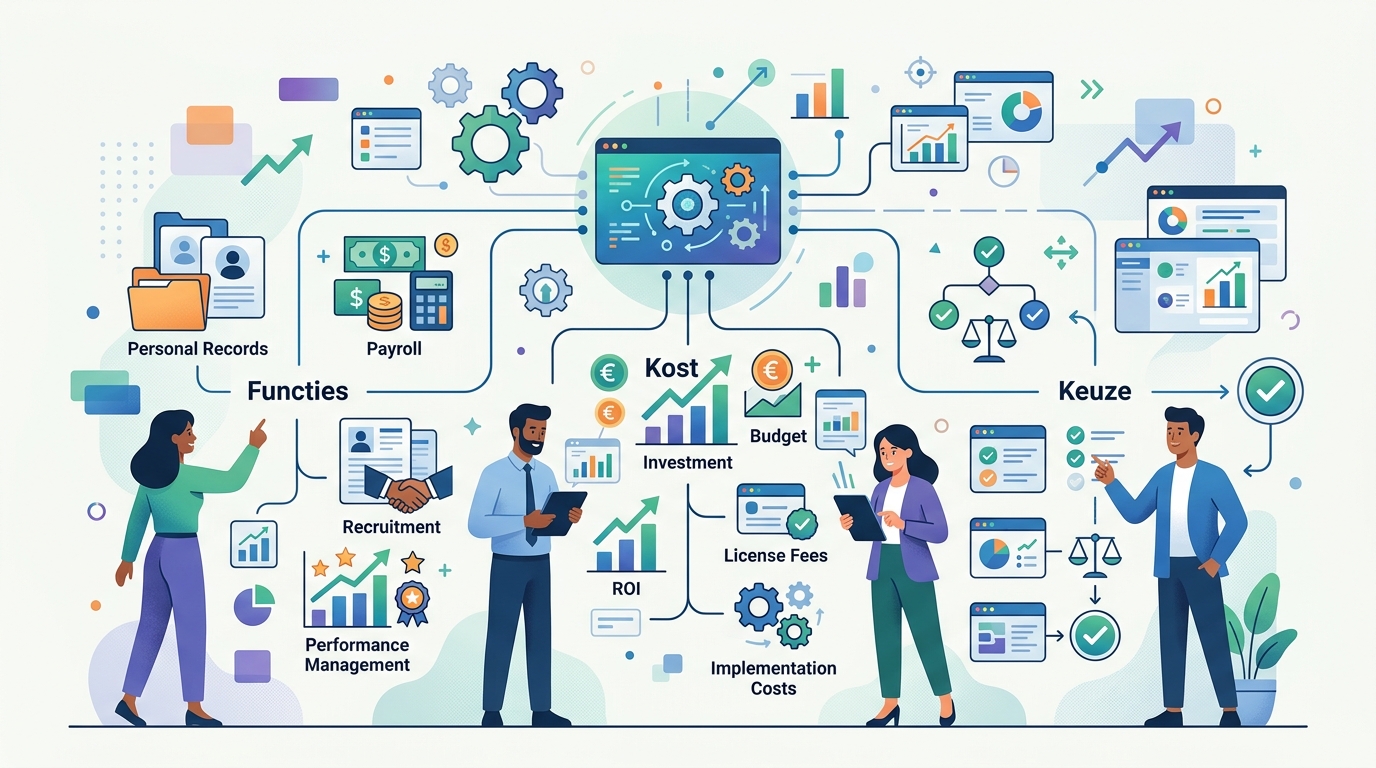
Een personeelssysteem is een digitaal platform dat HR-processen centraliseert en automatiseert — van het personeelsdossier tot verlof, verzuim, urenregistratie en onboarding. Je beheert alle personeelsgegevens op één plek, met self-service voor medewerkers en managers. Deze gids legt neutraal uit wat een personeelssysteem precies is, welke functies het bevat, hoe het verschilt van termen als HRIS, HCM en HRMS, vanaf welke organisatiegrootte het loont, wat het globaal kost en waar je op let bij het kiezen.
Wat is een personeelssysteem?
Een personeelssysteem (ook wel HR-software of HRM-software) is een digitaal platform dat HR-processen centraliseert en automatiseert [1]. In plaats van losse Excel-bestanden, gedeelde mappen en e-mailketens beheer je personeelsgegevens, verlof, verzuim, urenregistratie, declaraties, onboarding en performance op één centrale plek. Medewerkers en managers gebruiken dezelfde actuele informatie via self-service.
De termen lopen in de praktijk door elkaar. Personeelssysteem, HRM-software, HR-systeem en e-HRM verwijzen vrijwel allemaal naar hetzelfde: het softwareplatform dat je personeelsbeleid ondersteunt. Volgens kennisbank HoorayHR is een personeelssysteem "een digitaal platform dat wordt gebruikt om verschillende aspecten van personeelsbeheer te automatiseren en te stroomlijnen" [1].
Inzicht
Zie een personeelssysteem als de centrale administratie van je personeelsbeleid: één betrouwbare bron waar contractgegevens, verlofsaldi, verzuim, gewerkte uren en ontwikkeling samenkomen — zodat HR, leidinggevenden en medewerkers met dezelfde gegevens werken.
De schaal van deze software is in Nederland aanzienlijk. Bij één aanbieder, AFAS, ontvangen al ruim 3,4 miljoen Nederlanders maandelijks hun loonstrook via de HR- en payroll-software, en vertrouwen meer dan 14.000 organisaties op het pakket [3]. Dat illustreert hoe ingeburgerd personeelssystemen inmiddels zijn — van het MKB tot grote organisaties.
Welke functies heeft een personeelssysteem?
Een personeelssysteem ondersteunt de volledige levenscyclus van een medewerker, van indiensttreding tot vertrek. De meeste platforms zijn modulair: je activeert de onderdelen die je nodig hebt en breidt later uit. Dit zijn de kernfuncties.
Personeelsdossier en documentbeheer
De basis van elk personeelssysteem is het digitale personeelsdossier. Hierin bundel je per medewerker de persoonsgegevens, contracten, functiegegevens, salarisschalen en documenten, met rechten die bepalen wie wat mag inzien. Documentbeheer met versiebeheer en bewaartermijnen helpt je bovendien om aan de AVG te voldoen.
Verlof- en verzuimregistratie
Medewerkers vragen verlof aan, leidinggevenden keuren goed en het systeem houdt de saldi automatisch bij. Voor verzuim registreer je ziek- en herstelmeldingen en de stappen rond de Wet verbetering poortwachter, vaak met automatische signalen op deadlines. Wie hier specifiek op wil sturen, kan los inzoomen op verzuimsoftware die verzuimtrends en re-integratie inzichtelijk maakt.
Urenregistratie en declaraties
Met urenregistratie leggen medewerkers hun gewerkte tijd vast — handig voor uurloners, ploegendiensten of projectfacturatie. Declaraties van reis- en onkosten verlopen via dezelfde route: indienen, goedkeuren en doorzetten naar de salarisadministratie, zonder dubbel invoeren.
Onboarding, performance en self-service
Een onboardingmodule zorgt voor een gestructureerde eerste werkdag en -week met taken, documenten en introducties. De performancemodule ondersteunt doelen, feedback en functioneringsgesprekken. De rode draad door dit alles is self-service:
- Employee self-service (ESS): medewerkers regelen hun eigen verlof, declaraties, gegevenswijzigingen en loonstroken zelf.
- Manager self-service (MSS): leidinggevenden keuren aanvragen goed, bekijken teamgegevens en sturen op verzuim en bezetting.
Self-service ontlast de HR-afdeling fors, omdat routinevragen en handmatige invoer grotendeels verdwijnen.
HR-analytics, rapportage en integraties
Omdat alle gegevens centraal staan, kun je rapporteren over verloop, verzuim, bezetting en kosten — en daar tijdig op sturen. Minstens zo belangrijk zijn integraties: een personeelssysteem staat zelden alleen. De belangrijkste koppelingen zijn:
- Salarisadministratie (payroll): mutaties uit het dossier stromen automatisch door naar de loonverwerking.
- Recruitmentsysteem (ATS): aangenomen kandidaten belanden zonder overtypen in het personeelsdossier.
- Boekhouding, planning en LMS: afhankelijk van je behoefte koppel je verder uit.
Tip
Maak vóór je selectie een lijst van must-have-integraties. Een personeelssysteem dat niet netjes koppelt aan je bestaande payroll- of boekhoudpakket levert juist dubbel werk op — precies wat je wilde voorkomen.
Personeelssysteem, HRIS, HCM of HRMS — wat is het verschil?
De HR-techwereld zit vol afkortingen, en juist die verwarring maakt oriënteren lastig. "Personeelssysteem" is in de praktijk een verzamelnaam; daaronder zitten preciezere termen die elk een ander niveau aanduiden. Onderstaande tabel zet de vier begrippen naast elkaar.
| Term | Voluit | Wat het is | Typische focus |
|---|---|---|---|
| Personeelssysteem | — (verzamelnaam) | Algemene term voor HR-/HRM-software | Alle HR-software, breed gebruikt |
| HRIS | Human Resource Information System | De meest basale vorm; legt alle HR-informatie vast | Administratie: dossiers, verlof, verzuim |
| HCM | Human Capital Management | HRIS plus talent- en ontwikkelmodules | Talent, opleiding, strategische planning |
| HRMS | HR Management Systeem | Overkoepelende applicatie van één aanbieder | Meerdere systemen onder één dak |
HRIS als basis
Een HRIS (Human Resource Information System) is de meest basale vorm van HR-software: hierin leg je alle HR-informatie binnen je organisatie vast [2]. Denk aan personeelsdossiers, verlof, verzuim en de administratieve kern. Voor veel organisaties is een HRIS het natuurlijke startpunt. Wil je deze categorie verder verkennen, dan kun je gericht HRIS-software vergelijken.
HCM en HRMS als uitgebreidere lagen
Een HCM (Human Capital Management) gaat een stap verder dan de administratieve basis en voegt talent- en ontwikkelmodules toe, zoals opleidingen, performance en strategische personeelsplanning. Een HRMS (HR Management Systeem) is volgens HoorayHR "een overkoepelende applicatie waarin vanuit één software-aanbieder verschillende systemen samenkomen" [2] — de breedste laag, waarbij meerdere systemen onder één dak vallen.
Specialistische tools versus alles-in-één
Naast deze niveaus speelt een tweede keuze: kies je losse, gespecialiseerde tools of één totaaloplossing? Een gespecialiseerd ATS (werving), LMS (leren) of verzuimpakket doet één ding uitstekend. Een alles-in-één personeelssysteem bundelt die functies in één platform, met als voordeel dat alle data samenkomt en je maar met één leverancier te maken hebt. De afweging tussen "best of breed" en "all-in-one" is een van de belangrijkste bij je selectie.
Inzicht
Verdwaal niet in de afkortingen. Begin bij je behoefte: wil je vooral je administratie op orde (HRIS), talent ontwikkelen (HCM) of alles van één aanbieder (HRMS)? De term volgt uit het probleem dat je oplost, niet andersom.
Vanaf hoeveel medewerkers is een personeelssysteem zinvol?
Hier bestaat geen harde grens, en eerlijk gezegd is het exacte aantal medewerkers niet de beste maatstaf. De doorslag geeft de volwassenheid en complexiteit van je processen, niet een rond getal.
Een paar signalen dat een personeelssysteem zich gaat terugverdienen:
- HR-taken kosten te veel tijd in spreadsheets en losse documenten.
- Verlofsaldi, contracten of verzuimdossiers raken verspreid en moeilijk actueel te houden.
- Je groeit snel, of werkt met cao's en regelgeving die nauwkeurige administratie eisen.
- Leidinggevenden en medewerkers vragen om meer zelfstandigheid via self-service.
- Je wilt kunnen rapporteren over verzuim, verloop en bezetting in plaats van te gokken.
In de praktijk lopen veel organisaties hier tegenaan zodra het personeelsbestand groeit van een handvol naar enkele tientallen mensen, of bij snelle groei. Maar een klein bedrijf met complexe ploegendiensten kan er eerder baat bij hebben dan een grotere organisatie met simpele processen.
Let op
Kies geen systeem dat veel zwaarder is dan je organisatie. Een uitgebreid enterprise-platform in een klein bedrijf leidt tot onnodige complexiteit, hoge kosten en lage adoptie. Match de oplossing op je huidige situatie plus reële groei — niet op een wensdroom.
Wat kost een personeelssysteem?
Prijzen lopen sterk uiteen en hangen af van het aantal medewerkers, de gekozen modules en de integraties. Leveranciers maken hun tarieven bovendien zelden volledig transparant, waardoor vergelijken lastig is. Een neutrale uitleg van de twee gangbare prijsmodellen helpt je voorbereid het gesprek in te gaan.
Licentie per medewerker per maand versus vast pakket
- Per medewerker per maand: je betaalt een bedrag per actieve medewerker. Dit schaalt mee met je organisatie en is voorspelbaar, maar kan oplopen bij groei of veel modules.
- Vast pakket: je betaalt een vast bedrag voor een bandbreedte aan medewerkers of een functiepakket. Dit is overzichtelijk, maar je betaalt soms voor capaciteit die je (nog) niet gebruikt.
Eenmalige kosten: implementatie, migratie en training
Naast de terugkerende licentie zijn er vaak eenmalige kosten voor inrichting, datamigratie vanuit je oude systeem en training van gebruikers. Houd hier rekening mee in je business case, want ze drukken zwaar op het eerste jaar.
Tip
Vraag altijd een offerte op basis van jouw specifieke functiewensen en aantal medewerkers — een algemeen "vanaf"-tarief zegt weinig. Wil je vooraf inschatten wat nieuwe HR-software je oplevert? Bereken de ROI van nieuwe HR-software voor je eigen situatie.
Waar let je op bij het kiezen van een personeelssysteem?
Een goede keuze begint niet bij de leverancier, maar bij je eigen behoefte. Loop deze checklist langs voordat je leveranciers benadert:
- Eisen en processen in kaart. Welke HR-taken kosten nu de meeste tijd of veroorzaken de meeste fouten? Daar zit je grootste winst. Maak onderscheid tussen must-haves en nice-to-haves.
- Integraties. Welke koppelingen met je salarisadministratie (payroll), recruitmentsysteem (ATS) of boekhouding zijn een must? Zonder die koppelingen creëer je nieuw handwerk.
- Schaalbaarheid. Groeit het systeem mee met je organisatie, qua aantal medewerkers én functionaliteit?
- Gebruiksgemak en adoptie. Een systeem dat medewerkers en managers niet intuïtief vinden, wordt niet gebruikt — hoe sterk de functielijst ook is.
- Cao- en wetgevingsnaleving. Ondersteunt het systeem jouw cao('s), verlofregelingen en de Wet verbetering poortwachter?
- Cloud versus on-premise. De meeste organisaties kiezen cloud (SaaS) vanwege snelle implementatie en automatische updates; on-premise geeft maximale controle, maar legt onderhoud en beveiliging bij jou.
- Support en implementatie. Hoe verloopt de begeleiding bij inrichting, migratie en training, en wat kun je verwachten daarna?
Inzicht
Vendorpagina's sturen naar hun eigen product. Vergelijk daarom meerdere leveranciers objectief in plaats van op één partij af te gaan — een gestructureerd, neutraal selectieproces (eerst behoefte, dan type, dan leverancier) voorkomt dat je kiest op marketing in plaats van op fit.
Zelf kiezen of laten matchen — de volgende stap
Nu je weet wat een personeelssysteem is en waar je op moet letten, volgt de keuze. Daarvoor heb je grofweg twee routes. Je kunt zelf vergelijken: breng je eisen in kaart, stel een shortlist samen en plan demo's. Een onafhankelijk overzicht van de beste HRIS-systemen in Nederland is daarbij een nuttig vertrekpunt, omdat het verder kijkt dan de mooiste vendor-demo.
Of je laat je neutraal matchen: op basis van je organisatiegrootte, sector, processen en integratiewensen ontvang je een passende shortlist, zonder zelf het hele landschap te hoeven uitkammen. Dat scheelt tijd en voorkomt dat je je laat leiden door de luidste marketing. Wie snel een gericht overzicht wil, kan een gratis intake voor een passende shortlist starten.
Welke route je ook kiest: laat je leiden door je werkelijke behoefte en processen, niet door de afkorting of de vendor met het grootste advertentiebudget.
Veelgestelde vragen over personeelssystemen
Wat is een personeelssysteem?
Een personeelssysteem (ook wel HR-software of HRM-software) is een digitaal platform dat HR-processen centraliseert en automatiseert. Het bewaart personeelsgegevens en regelt taken als verlof, verzuim, urenregistratie, declaraties, onboarding en performance op één plek, met self-service voor medewerkers en managers.
Wat is het verschil tussen een personeelssysteem, HRIS, HCM en HRMS?
Een HRIS is de meest basale vorm: hierin leg je alle HR-informatie vast. Een HCM gaat een stap verder met talent- en ontwikkelmodules. Een HRMS is een overkoepelende applicatie waarin meerdere systemen van één aanbieder samenkomen. 'Personeelssysteem' wordt in de praktijk als verzamelnaam voor al deze HR-software gebruikt.
Welke functies heeft een goed personeelssysteem?
Standaard zijn: een digitaal personeelsdossier, verlof- en verzuimregistratie, urenregistratie, declaraties, onboarding, performance management, HR-analytics en self-service. Belangrijk zijn ook integraties met je salarisadministratie (payroll) en eventueel je recruitmentsysteem (ATS), plus naleving van wet- en regelgeving en cao's.
Vanaf hoeveel medewerkers is een personeelssysteem zinvol?
Er is geen harde grens, maar zodra HR-taken te veel tijd kosten in spreadsheets — meestal vanaf enkele tientallen medewerkers of bij snelle groei — verdient een personeelssysteem zich terug. De doorslag geeft niet het exacte aantal medewerkers, maar de complexiteit van je processen en je behoefte aan overzicht en compliance.
Wat kost een personeelssysteem?
De meeste leveranciers rekenen per medewerker per maand of een vast pakketbedrag; daarnaast kunnen er eenmalige kosten zijn voor implementatie, datamigratie en training. De prijs hangt af van het aantal modules, integraties en het aantal medewerkers. Vraag altijd een offerte op basis van jouw specifieke functiewensen.
Hoe kies je het juiste personeelssysteem?
Breng eerst je eisen en HR-processen in kaart, bepaal welke integraties (payroll, ATS) je nodig hebt en let op schaalbaarheid, gebruiksgemak, support en cao-/wetgevingsnaleving. Vergelijk meerdere leveranciers objectief in plaats van op één vendor af te gaan. Een neutrale intake of shortlist helpt je sneller bij een passende keuze.
Volgende stappen
- Inventariseer je grootste HR-pijnpunten — welk proces kost nu de meeste tijd of veroorzaakt de meeste fouten? Daar zit je eerste winst.
- Bepaal je type en categorie — kies tussen een lichte HRIS, een bredere HCM of losse modules, en vergelijk HRIS-software om grip te krijgen op het landschap.
- Maak je business case concreet — bereken de ROI van nieuwe HR-software voor je eigen aantal medewerkers en processen.
- Vergelijk neutraal — bekijk de beste HRIS-systemen in Nederland als onafhankelijk startpunt voor je shortlist.
- Laat je matchen — start een gratis intake voor een passende shortlist met leveranciers die bij jouw organisatiegrootte, sector en doelen passen.
Bronnen
- HoorayHR — Het beste online personeelssysteem (kennisbank, definitie + functies)
- HoorayHR — HR-termen uitgelegd: van HRIS, HCM en HRMS tot ATS en LMS
- AFAS — HR en salaris software voor het mkb
- Shiftbase — Kies het juiste personeelssysteem: waar moet je op letten?
- Visma | Raet — HR-software voor het mkb (Youforce)