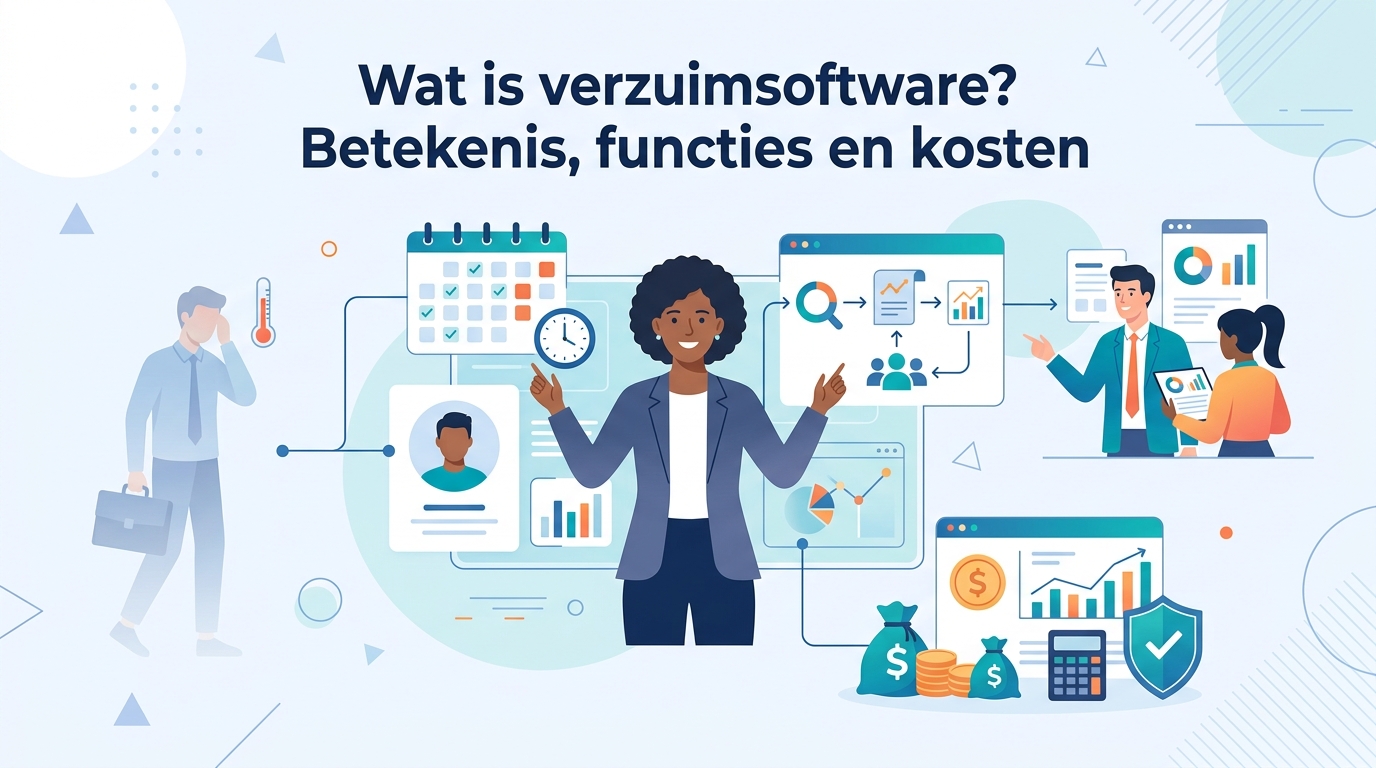
Verzuimsoftware is een digitaal systeem waarmee je ziekteverzuim registreert, beheert en analyseert op één centrale plek. Het vervangt losse Excel-bestanden en handmatige processen, bewaakt automatisch de stappen en termijnen van de Wet verbetering poortwachter en geeft HR, leidinggevenden en de arbodienst inzicht in verzuimtrends — zodat je sneller handelt, compliant blijft en grip houdt op de kosten van verzuim. Deze gids legt neutraal uit wat verzuimsoftware precies is, wat het doet, voor welke organisaties het geschikt is, wat het globaal kost en hoe je in vijf stappen de juiste oplossing kiest.
Wat is verzuimsoftware? (de definitie)
Verzuimsoftware is een digitaal systeem dat het volledige proces rond ziekteverzuim ondersteunt: het registreren van ziek- en herstelmeldingen, het beheren van het verzuim- en re-integratietraject en het analyseren van verzuimcijfers. In plaats van losse spreadsheets, mailtjes en papieren dossiers werk je in één centrale omgeving waarin HR, leidinggevenden, de casemanager en de arbodienst dezelfde actuele informatie zien.
De kern van verzuimsoftware bestaat uit drie functies: registreren (vastleggen wie ziek of hersteld is), beheren (het verzuimdossier opbouwen en de wettelijke stappen bewaken) en analyseren (rapporteren over verzuimpercentage, meldingsfrequentie en trends). Daarmee is het meer dan een digitaal logboek: het stuurt actief op de wettelijke verplichtingen en op de kosten van verzuim.
Dat verzuim een serieus thema is, blijkt uit de cijfers van het CBS. Het ziekteverzuim van werknemers bedroeg 5,8 procent in het eerste kwartaal van 2025, tegenover 5,5 procent in het eerste kwartaal van 2024 [1]. In het vierde kwartaal van 2024 lag het op 5,4 procent [2]. Bij zulke percentages telt elke procentpunt verzuim financieel zwaar mee — reden waarom organisaties verzuim steeds vaker met dedicated software beheren.
Inzicht
Zie verzuimsoftware als het besturingssysteem voor je verzuimbeleid: één betrouwbare bron waar meldingen, dossiers, wettelijke deadlines en verzuimcijfers samenkomen, zodat niemand een termijn mist en je beslissingen op feiten baseert in plaats van op onderbuikgevoel.
Verzuimsoftware vs. verzuimregistratie in Excel
Veel kleinere organisaties houden verzuim nog bij in Excel of een gedeelde agenda. Dat werkt tot op zekere hoogte, maar kent drie structurele zwakke plekken: er is geen automatische bewaking van wettelijke termijnen, het overzicht versnippert over meerdere bestanden en verzuimcijfers berekenen kost handwerk en is foutgevoelig.
Verzuimsoftware lost dat op. Het systeem rekent het verzuimpercentage en de meldingsfrequentie automatisch uit, signaleert deadlines uit de Wet verbetering poortwachter vóórdat ze verstrijken en logt elke actie in een controleerbaar dossier. Bij een handvol medewerkers is Excel nog te overzien; zodra het personeelsbestand groeit of het verzuim oploopt, wordt handmatige registratie een risico.
| Aspect | Verzuimregistratie in Excel | Verzuimsoftware |
|---|---|---|
| Termijnbewaking Poortwachter | Handmatig, foutgevoelig | Automatische signalen en taken |
| Verzuimcijfers | Zelf berekenen | Automatisch berekend |
| Centraal dossier | Versnipperd over bestanden | Eén dossier per medewerker |
| Samenwerking HR/arbodienst | Mail en losse documenten | Gedeelde, rechtenbeheerde omgeving |
| AVG en toegangsrechten | Lastig te borgen | Rollen en toegangsrechten ingebouwd |
Losse verzuimsoftware vs. verzuimmodule in een HRIS
Er bestaan grofweg twee smaken. Losse verzuimsoftware is gespecialiseerd in het hele verzuim- en re-integratieproces, met diepgaande Poortwachter-bewaking, casemanagement en koppelingen met de arbodienst. Een verzuimmodule binnen een HRIS (een breder HR-systeem) is één onderdeel naast personeelsdossiers, verlof, urenregistratie en payroll.
De keuze hangt af van je behoefte. Heb je vooral diepgaande verzuimbegeleiding en strakke Poortwachter-bewaking nodig, dan kan losse verzuimsoftware passen. Wil je alles in één platform met self-service en gegevens die maar één keer worden ingevoerd, dan kies je voor een HRIS met een sterke verzuimmodule. Wie beide kanten wil afwegen, kan op OptioHR neutraal alle HR-software-categorieën vergelijken en daarna gericht inzoomen op verzuim.
Wat doet verzuimsoftware? De kernfuncties
Verzuimsoftware ondersteunt het volledige verzuimproces, van de eerste ziekmelding tot de afronding van een re-integratietraject. De meeste pakketten zijn modulair opgebouwd. Dit zijn de vijf kernfuncties.
Ziek- en herstelmeldingen registreren
De basis is het vastleggen van ziek- en herstelmeldingen. Een leidinggevende of medewerker meldt het verzuim, het systeem registreert datum en tijd en start automatisch het bijbehorende dossier. Vanaf dat moment loopt de verzuimklok en koppelt de software elke vervolgactie aan de juiste persoon. Bij herstel sluit je de melding af, waarna het systeem de verzuimduur en -cijfers bijwerkt.
Wet verbetering poortwachter-bewaking en signalering
Het hart van verzuimsoftware is de bewaking van de Wet verbetering poortwachter. Deze wet schrijft een vast stappenplan met deadlines voor, van probleemanalyse en plan van aanpak tot de eerstejaarsevaluatie en het re-integratieverslag. De software signaleert elke deadline op tijd, zet taken klaar bij de juiste rol en houdt bij of acties zijn uitgevoerd. Zo mis je geen termijn — precies waar het bij langdurig verzuim vaak misgaat.
Let op
De Wet verbetering poortwachter verplicht werkgevers tot het doorbetalen van minimaal 70% van het loon gedurende twee jaar ziekteverzuim [3]. Bij een werknemer met een maandloon van 3.000 euro die drie maanden ziek is, betaal je al minimaal 6.300 euro door [3]. Onvoldoende re-integratie-inspanning kan bovendien leiden tot een loonsanctie van het UWV, waardoor je een derde jaar loon moet doorbetalen [4].
Verzuimdossier en samenwerking
Per medewerker bouwt de software een verzuimdossier op waarin alle stappen, afspraken en documenten samenkomen. Cruciaal is dat meerdere rollen in hetzelfde dossier werken, elk met eigen toegangsrechten:
- HR bewaakt het proces en de compliance over alle dossiers heen.
- De leidinggevende onderhoudt het contact met de medewerker en legt afspraken vast.
- De casemanager stuurt het re-integratietraject aan.
- De bedrijfsarts of arbodienst voert het medische deel uit en adviseert over belastbaarheid.
Doordat iedereen in één omgeving werkt, voorkom je losse mailwisselingen en raakt geen informatie zoek.
Rapportage en verzuimanalyse
Omdat alle meldingen centraal staan, rekent de software automatisch de belangrijkste kengetallen uit: het verzuimpercentage, de meldingsfrequentie en de ontwikkeling daarvan over tijd. Daarmee zie je trends — bijvoorbeeld een afdeling met oplopend kortdurend verzuim — en kun je benchmarken tegen sector- en branchecijfers. Ter context: in het eerste kwartaal van 2025 was het verzuim met 8,1 procent het hoogst in de bedrijfstak gezondheids- en welzijnszorg, met de verpleging, verzorging en thuiszorg als koploper op 9,7 procent; de horeca zat met 3,4 procent het laagst [1].
Koppelingen met HR-systeem, payroll en arbodienst
Verzuimsoftware staat zelden op zichzelf. De belangrijkste koppelingen zijn die met het HR-systeem of personeelssysteem (zodat medewerkergegevens niet dubbel worden ingevoerd), met payroll (zodat loondoorbetaling bij ziekte correct verloopt) en met de arbodienst of bedrijfsarts (zodat spreekuren, terugkoppelingen en adviezen direct in het dossier landen). Goede integraties bepalen in de praktijk hoeveel tijd je echt bespaart.
Waarom verzuimsoftware? De voordelen (met cijfers)
De waarde van verzuimsoftware draait om drie zaken: grip op kosten, minder compliance-risico en tijdsbesparing. De cijfers maken duidelijk waarom dat financieel zwaar weegt.
Grip op de kosten van verzuim
Verzuim is duur. Ziekteverzuim kost Nederlandse werkgevers gemiddeld tussen 2.500 en 4.500 euro per werknemer per jaar [3]. Een veelgebruikte vuistregel is dat een zieke werknemer ongeveer 250 tot 400 euro per dag kost — inclusief loondoorbetaling, vervanging, verzuimbegeleiding en productieverlies; in sommige publicaties (onder meer op basis van TNO-cijfers) komt een gemiddelde van zo'n 405 euro per dag naar voren [4]. Bij langdurig verzuim ligt dat gemiddeld rond de 400 euro per dag per medewerker [5]. Sneller en gerichter ingrijpen via verzuimsoftware vertaalt zich direct in lagere kosten.
Cijfer
Werknemers met psychische klachten zijn gemiddeld 63 dagen afwezig [5]. Tegen een veelgenoemde vuistregel van ongeveer 400 euro per dag [4][5] loopt één zo'n langdurig dossier al snel in de tienduizenden euro's — wat illustreert waarom vroege signalering en strakke begeleiding lonen.
Compliance en minder risico op een UWV-loonsanctie
Het tweede voordeel is compliance. De Wet verbetering poortwachter kent harde deadlines, en het niet of onvoldoende nakomen van die plichten kan leiden tot een loonsanctie waarmee je een derde jaar loon moet doorbetalen [4]. Verzuimsoftware bewaakt de stappen en termijnen automatisch en houdt het dossier compleet en aantoonbaar op orde. Juist dat dossier beoordeelt het UWV bij langdurig verzuim — een volledig, tijdig opgebouwd dossier verkleint het risico op een sanctie aanzienlijk.
Tijdsbesparing en centraal inzicht
Het derde voordeel is tijdwinst. Automatische signalen, vooraf klaargezette taken en een centraal dossier nemen veel handmatig werk uit handen. HR hoeft geen deadlines meer in agenda's bij te houden, leidinggevenden zien direct wat er van hen wordt verwacht en rapportages staan met één klik klaar. Het resultaat is minder administratieve last én beter onderbouwde beslissingen.
Let op
Let op de AVG. Een werkgever mag de aard van de ziekte of medische gegevens niet vastleggen — dat blijft voorbehouden aan de bedrijfsarts. In het verzuimdossier leg je dus wél vast dát en hoelang iemand ziek is en welke afspraken er zijn over re-integratie, maar geen diagnose of medische details. Kies verzuimsoftware die deze rolscheiding en toegangsrechten ondersteunt en raadpleeg bij twijfel de richtlijnen van de Autoriteit Persoonsgegevens.
Voor wie is verzuimsoftware geschikt? (MKB tot enterprise)
Verzuimsoftware is geschikt voor organisaties van vrijwel elke omvang die ziekteverzuim wettelijk en efficiënt willen beheren. Wat verschilt, is de mate van diepgang die je nodig hebt.
- Kleinere MKB-bedrijven komen vaak ver met een lichte verzuimoplossing of de verzuimmodule in hun bestaande HR-systeem. De prioriteit ligt op correcte meldingen en betrouwbare Poortwachter-bewaking.
- Middelgrote organisaties hebben doorgaans meer dossiers tegelijk lopen en profiteren van uitgebreidere rapportage, signalering en samenwerking met de arbodienst. Bij middelgrote bedrijven met meer dan 100 medewerkers ligt het verzuimpercentage gemiddeld op 6,8 procent [5] — bij die volumes loont gestructureerd verzuimbeheer snel.
- Grote organisaties en enterprises met hoger of complexer verzuim hebben behoefte aan diepgaand casemanagement, koppelingen met HRIS en payroll, en analyses om op afdelings- of vestigingsniveau te kunnen sturen.
Ook de sector speelt mee. In branches met structureel hoger verzuim, zoals de zorg, weegt sterke verzuimsoftware zwaarder dan in sectoren met traditioneel laag verzuim, zoals de horeca [1].
Wat kost verzuimsoftware? (indicatie en terugverdientijd)
De prijs van verzuimsoftware hangt af van een aantal factoren, en er is geen vast tarief dat voor iedereen geldt. De belangrijkste kostendrijvers zijn:
- Het aantal medewerkers — de meeste leveranciers rekenen per medewerker of in staffels.
- De modules die je activeert — alleen registratie en Poortwachter-bewaking is goedkoper dan een suite met casemanagement en geavanceerde analytics.
- De koppelingen — integraties met je HRIS, payroll en arbodienst kunnen meekosten.
- Implementatie en ondersteuning — eenmalige inrichting, migratie en training.
Belangrijker dan de prijs is de terugverdientijd. Afgezet tegen verzuimkosten van gemiddeld 2.500 tot 4.500 euro per werknemer per jaar [3] en een vuistregel van 250 tot 400 euro per verzuimdag [4], hoeft software die langdurig verzuim helpt verkorten of een loonsanctie helpt voorkomen, zich maar beperkt te bewijzen om zichzelf terug te verdienen. Eén voorkomen derde jaar loondoorbetaling [4] weegt doorgaans ruim op tegen de jaarlijkse softwarekosten.
Tip
Reken je business case door vóór je gaat selecteren. Met de bereken de ROI van verzuimsoftware-tool van OptioHR vul je je personeelsaantal en verzuimpercentage in en zie je wat verzuim je nu kost en wat je realistisch kunt besparen — een neutraal vertrekpunt voor elk gesprek met leveranciers.
Hoe kies je de juiste verzuimsoftware? (5 stappen)
Een gestructureerd keuzeproces voorkomt dat je je laat leiden door de mooiste demo in plaats van door je werkelijke behoefte. Doorloop deze vijf stappen.
- Breng je verzuim en proces in kaart. Bepaal je huidige verzuimpercentage, meldingsfrequentie en knelpunten. Loop je vooral tegen gemiste deadlines aan, of ontbreekt vooral het inzicht in trends?
- Bepaal losse software of een HRIS-module. Kies op basis van je behoefte aan diepgang: gespecialiseerde verzuimbegeleiding of alles in één platform.
- Stel je functionele eisen op. Denk aan Poortwachter-bewaking, casemanagement, rapportage, rollen en toegangsrechten, en de koppelingen die je nodig hebt met HRIS, payroll en arbodienst.
- Toets compliance en privacy. Controleer of het systeem de AVG-rolscheiding respecteert (geen medische gegevens bij de werkgever) en een volledig, auditbaar dossier oplevert voor het UWV.
- Vergelijk leveranciers neutraal en bereken de business case. Zet pakketten naast elkaar op functies, koppelingen en totale kosten, en weeg die af tegen de te verwachten besparing.
Wie deze stappen wil versnellen, kan op OptioHR gericht verzuimsoftware vergelijken en matchen op basis van de eigen situatie, in plaats van zelf alle leveranciers af te gaan.
Conclusie: van begrip naar de juiste keuze
Verzuimsoftware brengt registratie, dossiervorming, wettelijke bewaking en analyse samen in één omgeving. Het verkleint je compliance-risico rond de Wet verbetering poortwachter, geeft grip op verzuimkosten die gemiddeld tussen 2.500 en 4.500 euro per werknemer per jaar liggen [3] en bespaart HR en leidinggevenden tijd. Of een lichte verzuimmodule volstaat of je gespecialiseerde software nodig hebt, hangt af van je omvang, sector en de complexiteit van je verzuim. Met een helder beeld van je behoefte, een doorgerekende business case en een neutrale vergelijking maak je een onderbouwde keuze in plaats van een keuze op gevoel.
Veelgestelde vragen over verzuimsoftware
Wat is verzuimsoftware in het kort?
Verzuimsoftware is een digitaal systeem waarmee je ziekteverzuim registreert, beheert en analyseert op één centrale plek. Het vervangt losse Excel-bestanden en handmatige processen, bewaakt automatisch de stappen van de Wet verbetering poortwachter en geeft HR, leidinggevenden en de arbodienst inzicht in verzuimtrends — zodat je sneller handelt, compliant blijft en grip houdt op de kosten van verzuim.
Wat doet verzuimsoftware precies?
Verzuimsoftware legt ziek- en herstelmeldingen vast, bouwt per medewerker een verzuimdossier op, signaleert de wettelijke taken en termijnen rond de Wet verbetering poortwachter, ondersteunt de samenwerking tussen HR, leidinggevende, casemanager en bedrijfsarts, en genereert rapportages over verzuimpercentage, meldingsfrequentie en trends. Veel pakketten koppelen daarnaast met je HR-systeem, payroll en arbodienst.
Helpt verzuimsoftware bij de Wet verbetering poortwachter?
Ja. De Wet verbetering poortwachter verplicht werkgevers tot minimaal 70% loondoorbetaling gedurende twee jaar ziekteverzuim [3] en tot een nauwgezet stappenplan met een compleet verzuimdossier. Verzuimsoftware bewaakt die stappen en deadlines automatisch en houdt het dossier op orde, wat het risico op een UWV-loonsanctie — een extra, derde jaar loondoorbetaling [4] — verkleint.
Wat kost ziekteverzuim een werkgever?
Verzuim is duur: een veelgebruikte vuistregel is dat een zieke werknemer ongeveer 250 tot 400 euro per dag kost, inclusief loondoorbetaling, vervanging, verzuimbegeleiding en productieverlies [4]. Bij langdurig verzuim loopt dit op tot gemiddeld zo'n 400 euro per dag per medewerker [5]. Op jaarbasis kost ziekteverzuim Nederlandse werkgevers gemiddeld tussen 2.500 en 4.500 euro per werknemer [3]. Juist die kosten maken grip via verzuimsoftware financieel interessant.
Wat is het verschil tussen verzuimsoftware en een HR-systeem?
Verzuimsoftware is gespecialiseerd in het hele verzuim- en re-integratieproces, terwijl een HR-systeem (HRIS) een breder platform is waarin verzuim vaak één module is naast personeelsdossiers, verlof en payroll. Heb je vooral diepgaande verzuimbegeleiding en Poortwachter-bewaking nodig, dan kan losse verzuimsoftware passen; wil je alles in één platform, dan kies je voor een HRIS met een sterke verzuimmodule.
Voor welke organisaties is verzuimsoftware geschikt?
Verzuimsoftware is geschikt voor organisaties van vrijwel elke omvang die ziekteverzuim wettelijk en efficiënt willen beheren. Voor kleinere MKB-bedrijven is een lichte oplossing of een verzuimmodule in het HR-systeem vaak genoeg; grotere organisaties met hoger of complexer verzuim profiteren van uitgebreide rapportage, casemanagement en koppelingen met de arbodienst.
Volgende stappen
- Bepaal je vertrekpunt: bereken eerst wat verzuim je nu kost en wat je kunt besparen met de bereken de ROI van verzuimsoftware.
- Stel je eisen op: leg vast of je losse verzuimsoftware of een HRIS-module zoekt en welke koppelingen je nodig hebt.
- Vergelijk neutraal: ga gericht verzuimsoftware vergelijken en matchen op basis van je eigen situatie.
- Verbreed indien nodig: overweeg of een bredere oplossing past door alle HR-software-categorieën vergelijken.
- Laat je begeleiden: start een gratis intake en laat je neutraal matchen met leveranciers die bij jouw omvang, sector en verzuimuitdaging passen.
Bronnen
- CBS — Ziekteverzuim neemt toe in eerste kwartaal 2025
- CBS — Dashboard arbeidsmarkt: Ziekteverzuim
- Remplooi — Wat zijn de kosten van ziekteverzuim voor werkgevers?
- Zakelijkeverzekering.nl — Kosten verzuim: wat kost ziekteverzuim je bedrijf echt?
- Arbo Concern — Langdurig ziekteverzuim: cijfers en kengetallen om uw bedrijf te benchmarken